The Ballon d'Or AI filter trend · No CapCut, no app
Ballon d'Or CapCut Template: How to Find It (or Skip CapCut)
Looking for the Ballon d'Or CapCut template from the viral "prank your parents" videos? Most templates with Ballon d'Or in the name are a different edit. Here is how to find the right one, what to check before you use it, and how to make the same award video in your browser if the template won't cooperate.
Make My Ballon d'Or Video- No CapCut, no app
- 3 free first-frame previews a day
- Failed videos refund your credits
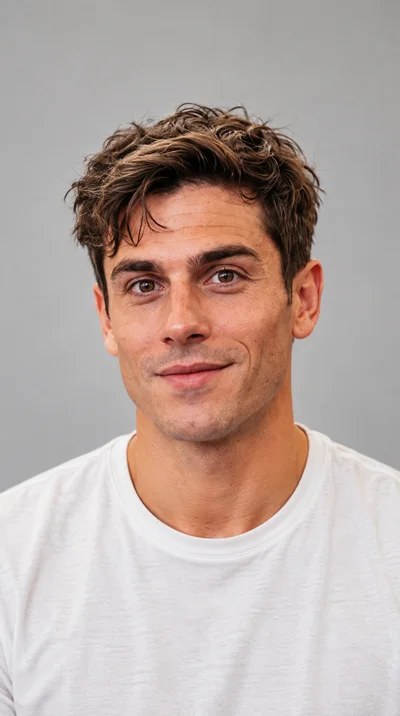
The original shows the shot sequence; your photo sets the main character. This sample uses original audio. Your video uses generated event sounds.
Make Your Ballon d'Or AI Video
Add one photo, choose your outfit and check a still first frame of yourself at the gala before you spend any credits on the video.
What Is the Ballon d'Or CapCut Template?
The Ballon d'Or CapCut template is the shared CapCut edit that started the October 2026 golden ball prank. The French creator j4ms posted it on 22 October 2026 with a caption inviting people to prank their parents with a Ballon d'Or filter. Within a day the post passed 2.3 million views, and the template was used more than 130,000 times by the night of the real ceremony on 26 October.
A CapCut template is a ready-made edit: someone else built the scene, the cuts and the timing, and you drop your own media into the slots. That is what made the trend spread so fast, and also why so many people now get stuck trying to find it.
Why search shows the wrong Ballon d'Or templates
Type "Ballon d'Or" into CapCut's template search and you will see dozens of results. Many are football edits: player slideshows, ranking countdowns or fan tributes to last year's winner. They come in different shapes, from square to 3:4 to widescreen 16:9, and they ask for video clips of players rather than one photo of you. They share a name with the prank, not the format.
Why the template link may not work
Template links are shared through TikTok posts and reposts. A creator can remove a template, a repost can point to a copy, and some templates are not available in every region or on every account. If the link opens to an error or a different edit, that is usually the reason.
How to Find the Right Ballon d'Or CapCut Template
1. Start from the post you actually watched
Go back to the TikTok video that made you want to try it. Look for the CapCut template label or link on that post, or in the creator's caption and profile. Following the original creator's link is more reliable than searching CapCut by name.
2. Watch the preview before you upload anything
The right template shows a person rising from a gala audience, walking toward a lit stage and receiving a golden ball. If the preview shows a slideshow of famous players or a top-10 countdown, it is a different edit.
3. Check the slots and the frame
Look at how many photos or clips the template asks for and what shape the output is. The prank is a vertical clip built around one person. A template asking for several clips, or producing a square video, is not it.
4. Check the export screen
Before you export, look at what the final screen says about watermarks, sign-in and payment in your region. We can't confirm a third-party template's price or terms, so read them yourself rather than assuming the preview means a free download.
Ballon d'Or CapCut Template vs Ballon d'Or AI
If you just want the award video with your face, you don't have to find the template at all. Here is how the two routes compare.
| Ballon d'Or CapCut template | Ballon d'Or AI (this page) | |
|---|---|---|
| Where it runs | The CapCut app | Any phone or desktop browser |
| What you need first | The right template link from a TikTok post | One clear photo |
| What you add | Whatever the template's slots ask for | One photo plus a suit or gown choice |
| Preview of your own result | After you add your media in the app | A free still of your first frame, 3 a day |
| Output | Depends on the template | 10-second vertical 9:16 MP4, no watermark |
| Sound | Whatever audio the template's creator added | Live applause and sound effects; add the trend sound inside TikTok when you post |
| Availability | Links can be removed or region-locked | Always on this page |
| Cost | Check CapCut's export screen | 10 credits at 480p, 22 at 720p; packs from $9.99 |
When the CapCut template is the better choice
If you already use CapCut, you have the original creator's working link, and you want that exact edit with its captions, the template is the fastest route. Use it.
When the browser alternative is the better choice
If you can't find the right template, the link is broken in your region, you don't want to install an app, or you want to see whether the result looks like you before paying, the generator at the top of this page does the job. It renders a fresh video of you, not a copy of anyone else's clip.
How to Make the Ballon d'Or Video Without the Template
Add one photo and choose your outfit
Upload a bright, front-facing photo of yourself or of an adult who agreed. A hoodie or football shirt is fine: the AI keeps your face and hair and dresses you in a suit and tie or an evening gown.
Check your first frame for free
Sign in and press Preview to see a still of yourself seated at the gala. Every account gets 3 free previews a day. If the face is off, swap the photo before spending anything.
Make and download the video
Press Make the video when the preview looks right. It usually takes a few minutes, and the 10-second MP4 waits in My videos, ready for TikTok, Reels, Shorts or the family chat. If a render fails, its credits return to your balance automatically. Not sure what the trend is called in your app? Our Ballon d'Or AI filter guide explains the names.
Common Ballon d'Or CapCut Template Problems
Most people who give up on the template hit one of these.
The template asks for video clips, not a photo
That is almost always a player edit or a highlight template, not the selfie prank. The prank is built around one person; go back to the original post's link.
The result doesn't look like you
A template reuses one fixed edit, so the scene, crowd and camera moves belong to the creator. If your face doesn't sit well in that footage, there is little you can change inside the template. A generator that renders a new clip from your photo gives you more room to fix it with a better photo.
You searched in another language
The trend started in French and spread to Spanish, so many captions say "modèle CapCut ballon d'or" or talk about the "filtro Balón de Oro". Those posts often point to the same few templates, so the same checks apply: watch the preview, count the slots, check the export screen.
Once you have the video, the Ballon d'Or prank guide covers what to send with it and how to reveal the joke.
FAQ
Ballon d'Or CapCut Template FAQ
It was posted by the French creator j4ms on 22 October 2026. The most reliable way to reach it is through the template link on the TikTok post you watched, not by searching CapCut by name.
Many CapCut templates share the Ballon d'Or name but are player edits or rankings. Compare the preview and the number of slots before you use one.
We can't confirm that for every region or account. Check the export screen in CapCut before you rely on it.
Yes. The generator on this page works in your browser from one photo and gives you a 10-second 9:16 MP4.
No. Ballon d'Or AI is an independent fan site with no connection to CapCut, the template's creator, the Ballon d'Or, France Football or UEFA. It makes its own version of the award moment.
No: photos of footballers, celebrities and children are refused. Upload yourself or an adult who said yes.
Explore More
- Ballon d'Or AI Filter: Get the Golden Ball Video From One SelfieIs there a filter on TikTok or Instagram? Where the clips really come from.
- Ballon d'Or Prank: Make Your Parents Think You Won the Golden BallWhat to text your parents, when to send it and how to reveal the joke.
- Ballon d'Or AI video makerThe main generator, with a sample video.
- PricingCredit packs, free previews and refunds.
Skip the Template Hunt
One photo, a free first frame, and your golden ball video is ready in minutes.
Make My Ballon d'Or Video